Features
Blog and news
Write posts in your dashboard and they appear on your site, newest first, each on its own page.
Page section, filed under Content & design and Marketing & SEO. Suits any business.
Live example. This is the real thing, running on this page exactly as it would on your site. Try it.
Advice that starts with your situation, not a product
What the base rate move means for your mortgage
A quarter point either way changes the monthly figure less than most people expect - here is the arithmetic on a typical loan.
Five things to have ready before your first appointment
None of it is difficult, and having it to hand turns a two-meeting process into one.
Is it worth fixing for five years?
It depends far less on rate forecasts than on how likely you are to move.
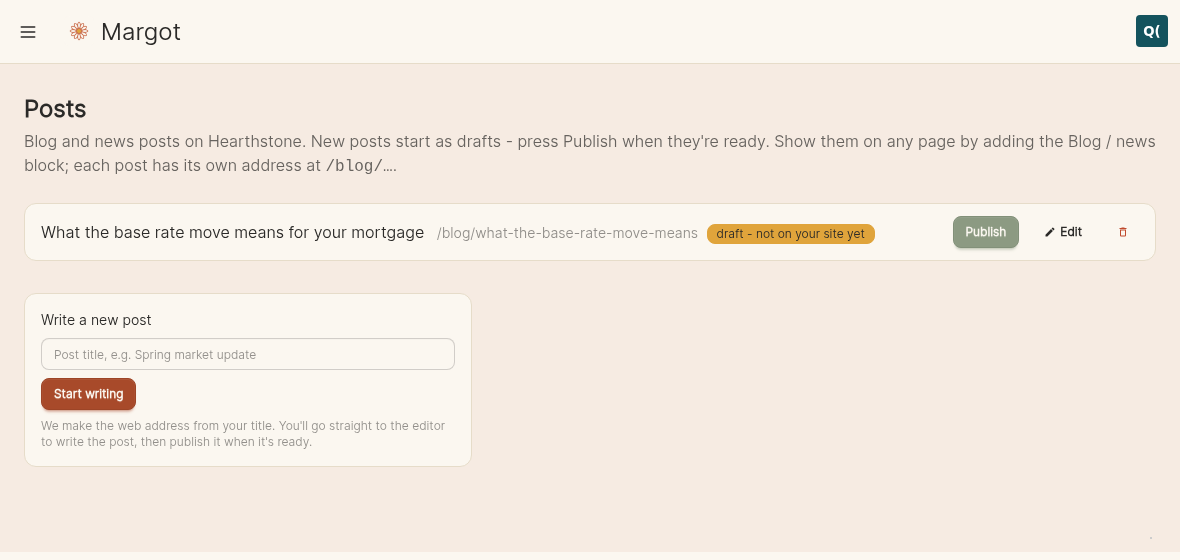
What it looks like to run it
What it does
A proper blog, not a bolt-on. Each post gets its own page and its own address, so it can be shared, linked to and found in search on its own terms.
This is how a small firm's site slowly stops depending on paid traffic: a handful of pages answering the questions people actually type. It's also the easiest way to look active to someone deciding whether you're still trading.
How it works
Write posts under Posts in your dashboard, publish when you're ready, and the list on your site updates itself. Backdate a post and it sorts where its date says it should.
Each post carries its own title, description and share image for search and social, with sensible defaults if you'd rather not think about it.
Free review, no obligation - a real person comes back to you